
Accordion content can look visible to users while staying invisible to AI crawlers. The questions appear in the HTML. The answers often do not. If your accordion answers only enter the DOM after a user clicks, crawlers see empty space where your content should be.
We found this problem on our own website while building it. We fixed it the same day. It now sits in the checklist for every technical GEO audit we run.
What Is an Accordion (and Why Everyone Uses Them)
An accordion is a UI component where content is hidden under a clickable heading. You tap or click the heading, and the answer expands below it. Tap again and it collapses. The FAQ section below is a common example.
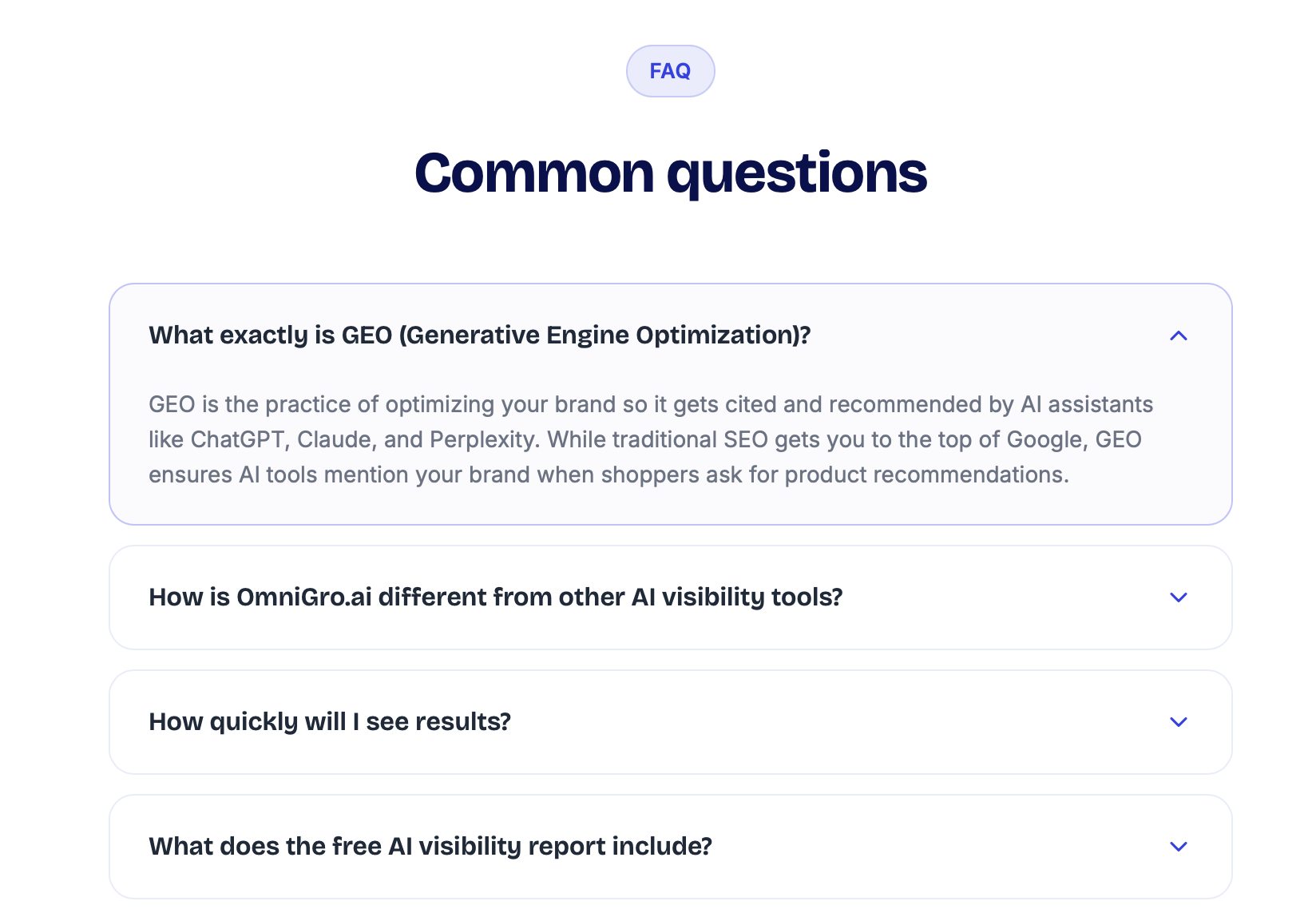
Accordions are used everywhere because they solve a real layout problem. Product pages, FAQ sections, and feature comparison tables all carry a lot of text. Collapsing it keeps the page scannable. A shopper landing on a product page does not need to read every care instruction before deciding to buy. Accordions let them choose what to expand.
The problem is not the visual pattern. The problem is how most developers implement it.
How AI Crawlers Actually Read a Page
Many AI crawlers and AI retrieval systems rely heavily on the raw HTML returned by the server. They often do not click, scroll, or wait for interactive UI states the way a human visitor does.
In many crawl scenarios, bots such as GPTBot, ClaudeBot, and PerplexityBot behave more like fetchers than human users. They request the page, parse the response, and do not interact with accordions, tabs, or modals. If content only enters the DOM after a user interaction, there is a strong chance the crawler never sees it.
The Claude Code source leak in March 2026 confirmed exactly how this works inside Claude. According to our analysis of that leak, Claude does not read your page itself. A smaller model (Haiku) fetches the raw HTML, converts it to Markdown, and generates a summary. That summary is what Claude actually receives. If the answer text was never in the HTML, it will never appear in the summary.
This is the same root problem behind CSR website invisibility: anything that requires JavaScript to appear is, from a crawler's point of view, absent.
We Found This on Our Own Website
We ran into this while building OmniGro's FAQ section.
Our accordion used a standard conditional render pattern. Questions were in the HTML from the start. Answers were only added to the DOM when a question was clicked. The first FAQ was open by default, so its answer appeared in the initial HTML. Every other answer did not.
When we fetched the page as a crawler, the result was interesting. All the FAQ questions were visible, but the answers were not. Only the default-open answer was present in the raw HTML.
The fix took one afternoon. We moved all answers into the initial HTML and used CSS `max-height` to control the collapsed state visually. The page looks and behaves identically for human visitors. Every answer is now readable by any crawler from the first byte of the response.
That fix is now a standard item in every technical GEO audit we run at OmniGro. It appears on more sites than you would expect.
Why Ecommerce Product Pages Are Most at Risk
On product detail pages, accordion content is often the most valuable information AI needs.
A typical PDP accordion includes: full product description, fabric or material composition, ingredients, care instructions, size guide, shipping and returns policy. These are exactly the facts shoppers ask AI about: "What is this jacket made from?", "Does it run true to size?", "How long does delivery take?"
If that content is only injected after a user opens the accordion, AI may never read it. It cannot cite information it has not seen.
According to our GEO guide for ecommerce, AI systems build a model of your brand from every source they can access. A brand whose product details are hidden behind JavaScript interactions will be represented inaccurately or skipped in recommendations entirely. Not because the content is poor. Because it was never readable in the first place.
How to Check If You Have This Problem
Three tests take under five minutes total.
Test 1: curl
Run this in a terminal, replacing the URL and phrase with your own content:
curl -s "https://yoursite.com/products/example" | grep -i "fabric composition"If the phrase does not appear in the output, that content is not in your initial HTML.
Test 2: View page source
Open the page in any browser. Press `Cmd+U` on Mac or `Ctrl+U` on Windows. This shows the raw HTML before any JavaScript runs. Search for a phrase you know lives inside a collapsed accordion section. If it is absent, crawlers cannot read it.
Test 3: Simulate a GPTBot fetch
curl -A "GPTBot" "https://yoursite.com/products/example" | lessScroll through the output and look for your key content: product description, materials, FAQs, care instructions, policies. Each section that does not appear is invisible to AI.
How to Fix It
The fix is straightforward: always render answer content in the HTML. Use CSS to control the visual state, not JavaScript to conditionally add or remove it from the DOM.
Pattern that hides content from crawlers:
{isOpen && (
  <div className="answer">
    78% cotton, 22% elastane. Machine wash cold.
  </div>
)}
The answer only enters the DOM when `isOpen` is true. Crawlers arrive before anything is open. The content is never there to read.
Pattern that works:
<div
  style={{ maxHeight: isOpen ? "500px" : "0", overflow: "hidden" }}
>
  78% cotton, 22% elastane. Machine wash cold.
</div>
The text is always present in the HTML. CSS collapses it visually. The accordion behaves identically for human visitors. Crawlers read all of it from the first request.
We did not stop there with our own FAQ. After the CSS fix, we also added a `FAQPage` JSON-LD schema block to the homepage. Not because the HTML fix was insufficient, but because schema gives AI crawlers a second, fully structured copy of every question and answer — independent of how the page is laid out. If a crawler misses anything in the body, the schema is a clean fallback. Here is the pattern we used:
{
  "@context": "https://schema.org",
  "@type": "FAQPage",
  "mainEntity": [
    {
      "@type": "Question",
      "name": "What exactly is GEO?",
      "acceptedAnswer": {
        "@type": "Answer",
        "text": "GEO is the practice of optimizing your brand so it gets cited by AI assistants like ChatGPT, Claude, and Perplexity."
      }
    }
  ]
}
For PDPs, the equivalent is `Product` schema with a `description` field covering everything you would normally put in an accordion. Our Schema and Structured Data service handles full implementation for brands that want it done properly.
FAQs
Does Google already handle this?
Googlebot eventually renders JavaScript, so accordion content is usually indexed by Google over time. AI crawlers do not work the same way. A page that passes a Google index audit can still be completely invisible to GPTBot and ClaudeBot.
Does this apply to tabs and modals too?
Yes. Any UI pattern that injects content into the DOM after a user interaction has the same problem. Tabs on PDPs, modal product detail panels, and slide-out description drawers all use conditional rendering. All of them are affected.
Will adding schema markup fix this without changing the HTML?
No. Schema adds a structured data layer alongside your content. It does not replace body content. The right fix is CSS-controlled visibility in the HTML, with schema added on top.
What if my site uses server-side rendering?
SSR handles full-page content, but component-level JavaScript gating is a separate issue. You can have an SSR site where individual accordion components still conditionally render content client-side. Page-level SSR does not automatically fix component-level conditional rendering.
Ready to see exactly where this issue exists across your site? An AI Visibility Audit surfaces every page where key content is invisible to AI crawlers, along with a prioritised fix plan.